May 9, 2022
Solved

Add users to view "Application" and "System" pane

  • May 9, 2022
  • 3 replies
  • 0 views

Team

I have list of users who have been added to a group under Security rules. But they are able to see only "OnePlace" pane on the onestream , but not the Application and System

Can you please guide how to have them get the view of those 2 panes? 
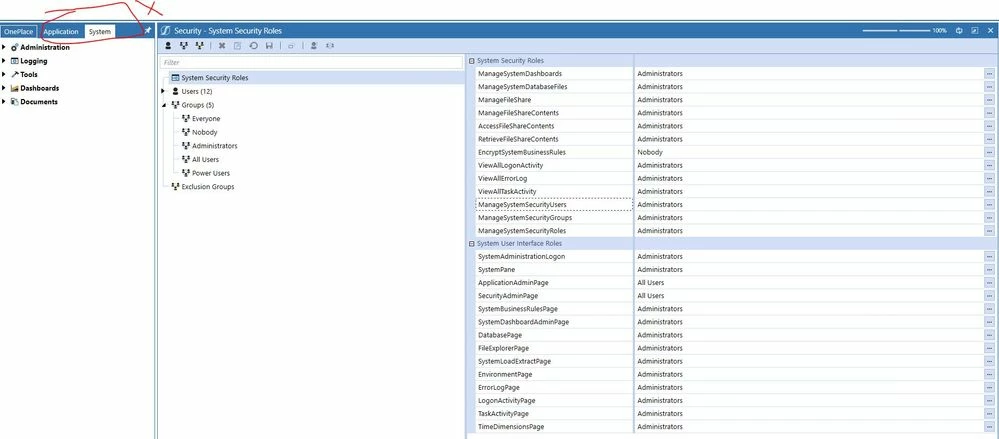
Ticket_Users unable to view application.JPG

Best answer by PeterFu

Hi,


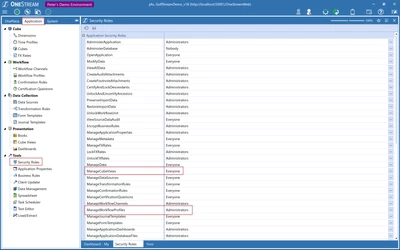
Under the Application tab, you have Security Roles that contains the settings you want. Depending on exactly what you want them to do, you can create a security group for super-users and give them access in here. You might need to create another Parent group to use that includes the different groups you want to give access.


Peter


PeterFu_0-1652096257988.png


3 replies

May 9, 2022

Hi,


That is the expected behavior. End-users should normally only have access to the OnePlace. The other 2 tabs are normally only for administrators.


Peter

SKVKAuthor
May 9, 2022

Thanks Peter. Those members will also be looking into creating/maintaining workflows, cubes etc, Please advise a role where they can be part of maintenance. 

Role higher than normal user, but not powerful as admins. 

PeterFuAnswer
May 9, 2022

Hi,


Under the Application tab, you have Security Roles that contains the settings you want. Depending on exactly what you want them to do, you can create a security group for super-users and give them access in here. You might need to create another Parent group to use that includes the different groups you want to give access.


Peter


PeterFu_0-1652096257988.png


November 1, 2022

Hello - we have made a few changes to the Security Roles in this area, and are looking to find a report or dashboard that would show the date, time, and name of the admin who changed these settings (Application / Tools  / Security Roles - specifically the Open Application setting).


Any idea if this activity is logged?  I have reviewed the standard dashboard reports and am having no luck on finding an audit trail for these settings.  Any suggestions are appreciated.

SKVKAuthor
May 9, 2022

Thanks Peter. This helps!!