June 5, 2024
Solved

Dimensions: how to link an entity to a new UD5

  • June 5, 2024
  • 1 reply
  • 0 views

Hi everyone.

I would like to see in which section I should put the name of the UD5 in an entity, since I see that it has a section for that but in the text part I see that other configurations also, so I would like to know where to put it so that they are connected, as well as about the UD5, about where the entity should go so that it is also connected.

I do this because I want to try to make a connection equal to that of the IC with the entity

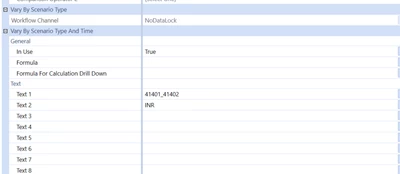
Entity

Marco_0-1717603740886.png

UD5


Marco_1-1717603808396.png


Best answer by aformenti

HI Marco ,

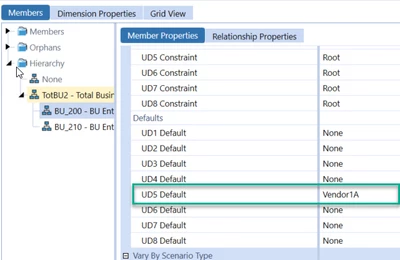
The connection should be in the Entity Defaults fields:


aformenti_1-1717604940826.png

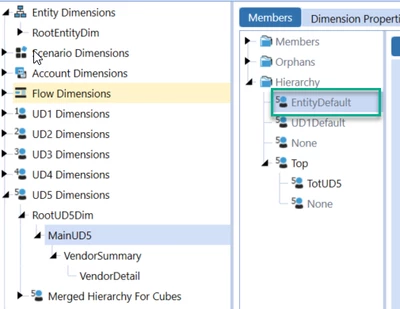
IN this example, Vendor1A will be the Default Entity member for UD5. You will then use:


aformenti_2-1717604952994.png

That can be used either in Calculations or Reports.

Hope that helps, 

1 reply

aformentiAnswer
June 5, 2024

HI Marco ,

The connection should be in the Entity Defaults fields:


aformenti_1-1717604940826.png

IN this example, Vendor1A will be the Default Entity member for UD5. You will then use:


aformenti_2-1717604952994.png

That can be used either in Calculations or Reports.

Hope that helps, 

MarcoAuthor
June 5, 2024

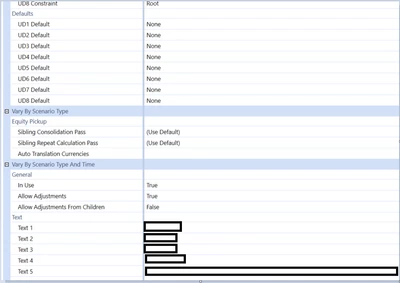
So in the UD5 it is not assigned to one created, for example to the following one I just added


Marco_0-1717605237605.png


June 5, 2024

No, in the UD5 you will need to use U5#EntityDefault, which will be a pointer of the Member you have assigned into the Entity Default field of the Entity.