July 15, 2024

Formatting Reports

  • July 15, 2024
  • 1 reply
  • 0 views

Hello,

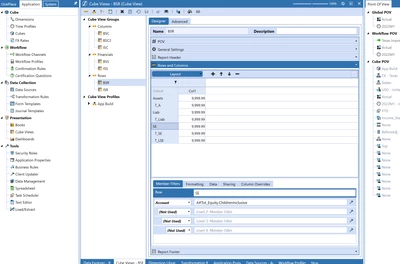
I am trying to format this so the Total Assets/Liabilities/SE at the top is just a header without numbers.

Does anybody know the correct formula?


wm2_0-1721076896305.png

wm2_1-1721076908345.png


1 reply

July 15, 2024

If you go into the cell formatting on those rows, you can change the cell text color to transparent which will make the numbers disappear. That looks like this:


T_Kress_1-1721080051911.png

But if that is truly just a header row or label row you can set the account as follows on that row:


T_Kress_0-1721079987681.png

And then account none will not pull any numbers and you can still use the cell transparent text as listed above.

What I like to do is set up a row format that is called:  Row_BlankCell in dashboard parameters.  In the dashboard parameter it will look like this:


T_Kress_2-1721080236400.png

Then I apply that format in the default section of a cube view for any rows that contain the word "Header" as an example.  And then as long as you start all these header rows with something like "HeaderTotAssets" they will get the right formatting applied.


wm2Author
July 16, 2024

That was perfect, thank you so much.

Last question, do you know how to bring the column header down so it is even with the row header? 

Thank you!!


wm2_0-1721137642682.png


July 16, 2024

Check your indentation on the head vs regular rows.  It appears you have indented the data rows:


T_Kress_0-1721149660649.png