February 11, 2026
Solved

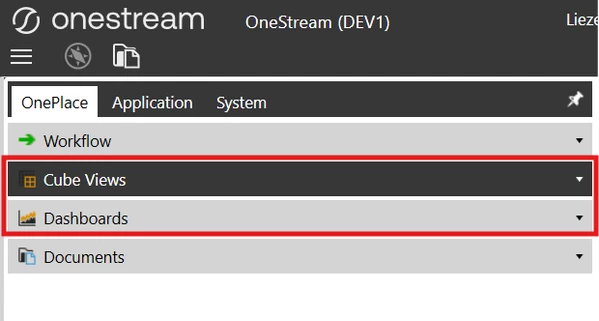
Is it feasible to hide the cube views and dashboards section under OnePlace?

  • February 11, 2026
  • 1 reply
  • 2 views

I am working on security groups; can we hide these sections to selected users? I can't find the right application/security role for this. Thank you.



Best answer by JJones

There is not a security role to hide the Cube Views and Dashboards items within the OnePlace Pane.  The way that you would do this is within the "Visibility" setting in the Cube View Profile.  If you set this to another option other than "OnePlace" the cube view profile would not show within OnePlace. 

Cube Views appear in the OnePlace → Cube Views slider only if their Cube View Profile visibility includes “OnePlace”.

  • Cube Views are assigned to Cube View Groups
  • Groups are assigned to Cube View Profiles
  • Visibility is set at the Profile level
  • Only profiles with visibility set to OnePlace or Always show up in the OnePlace pane

If you want to hide Cube Views from OnePlace:

  • Remove OnePlace (or Always) from the Cube View Profile’s Visibility
  • Leave visibility set to other contexts such as Dashboards, Excel, Workflow, or Forms instead

For the Dashboards there is not a way to hide this, but you can restrict by security:

There is no dashboard‑level “hide from OnePlace” flag. Instead:

  • You hide Dashboards by restricting security
  • Or by organizing them into groups not accessible to certain roles

Hope this is helpful.


1 reply

JJonesAnswer
February 12, 2026

There is not a security role to hide the Cube Views and Dashboards items within the OnePlace Pane.  The way that you would do this is within the "Visibility" setting in the Cube View Profile.  If you set this to another option other than "OnePlace" the cube view profile would not show within OnePlace. 

Cube Views appear in the OnePlace → Cube Views slider only if their Cube View Profile visibility includes “OnePlace”.

  • Cube Views are assigned to Cube View Groups
  • Groups are assigned to Cube View Profiles
  • Visibility is set at the Profile level
  • Only profiles with visibility set to OnePlace or Always show up in the OnePlace pane

If you want to hide Cube Views from OnePlace:

  • Remove OnePlace (or Always) from the Cube View Profile’s Visibility
  • Leave visibility set to other contexts such as Dashboards, Excel, Workflow, or Forms instead

For the Dashboards there is not a way to hide this, but you can restrict by security:

There is no dashboard‑level “hide from OnePlace” flag. Instead:

  • You hide Dashboards by restricting security
  • Or by organizing them into groups not accessible to certain roles

Hope this is helpful.