
May 30, 2023
Solved

Saving customization for ribbon for a spreadsheet component

  • May 30, 2023
  • 1 reply
  • 2 views

Hi All,

We are using a spreadsheet component to capture some drivers from end users in our application, how do we customize the ribbon of the spreadsheet component to show only OneStream option in the ribbon?
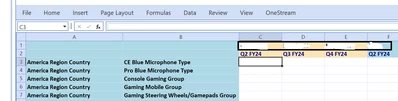

NidhiMangtani_0-1685446418787.png

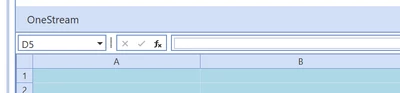
If I do right click, "Customize ribbon", it lets me display only OneStream in the ribbon , but the customization is lost on refreshing the page.

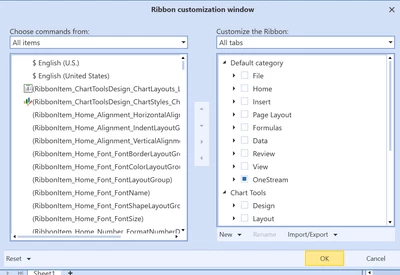
NidhiMangtani_0-1685446798280.png


NidhiMangtani_2-1685446573175.png


NidhiMangtani_3-1685446589697.png

Any guidance on how to retain this customization would be helpful.


Best answer by JackLacava

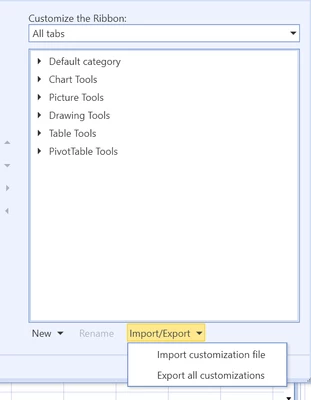
There are options at the bottom of the customization dialog, allowing you to export the changed state to an XML file and reload it later to get them back.


JackLacava_0-1685525064703.png

If you think that's not enough and state should be saved automatically... I agree with you 😅 so you might want to log it in IdeaStream.

1 reply

May 31, 2023

There are options at the bottom of the customization dialog, allowing you to export the changed state to an XML file and reload it later to get them back.


JackLacava_0-1685525064703.png

If you think that's not enough and state should be saved automatically... I agree with you 😅 so you might want to log it in IdeaStream.

July 19, 2023

Hello,

I have a similar requirement but I am already loading a .xlsx file for the TB View into the SpreadSheet component. The customizations I make get overwritten when I load it into the SpreadSheet component. How can I import the .xml file (with customizations) into the Spreadsheet component. Please help.


Thank You,

Indu


Thank You,

Indu