September 18, 2024
Solved

SQL_Table Editor

  • September 18, 2024
  • 3 replies
  • 0 views

Hi All,


I have trying to get the Combobox type of drop down in the custom created data table .

SQL Table Editor Searchable Drop-Down List (onestream.com)

The above link the documentation to achieve that requirement however it does not work even tough i follow the instruction given in the document.

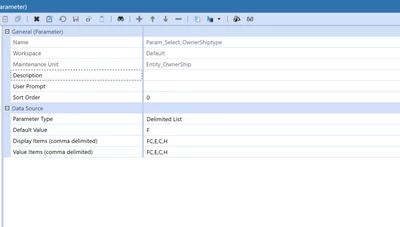
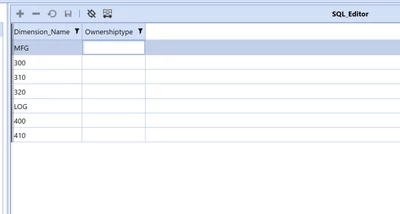
Below are the screenshot of my datatable and parameters.

NoorMohd_0-1726647768477.png


NoorMohd_1-1726647793500.png


 Kindly help me to achieve this requirement .


Thank You 


Best answer by SimonHesford

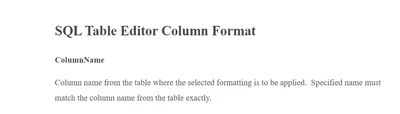
You have not defined the ColumnName property for Column2. That may be the issue because it doesn't know which column to apply the parameter to.


Yep, I agree that will cause an issue because the editor won't know which field to apply the formatting to in the table. NoorMohd maybe it would be worth a review of the SQL Editor component documentation in the OS guides as this is a basic configuration step


SH_INT_0-1726696101843.png


3 replies

September 18, 2024

Hi,

Once you have set up a parameter that returns a list you just need to associate it with the relevant column in your SQL Table Editor component


SH_INT_0-1726659897319.png


NoorMohdAuthor
September 18, 2024

Thank you so much for your response.

I have created a Delimited list parameter and did that as well but still no response.


NoorMohd_0-1726660685364.png


September 18, 2024

Your Default Value is 'F' and is not contained in the delimited list of values. That may be the issue. If not, can you show a screenshot of the SQL table properties? 

September 18, 2024

That works for me. What OS version are you using?

NoorMohdAuthor
September 18, 2024

OneStream 8.2.2

September 18, 2024

can you set the AllowUpdates property for the column to True that should fix it 

NoorMohdAuthor
September 18, 2024

Still the same