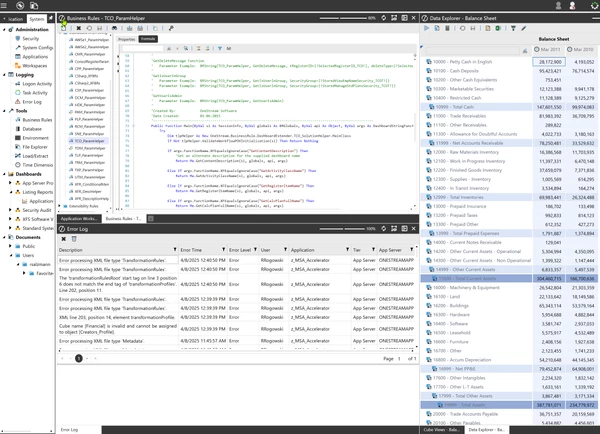
Tip: Splitting the Desktop
I figured this out recently by chance and it's been so helpful I had to share...
Did you know you can split the OneStream desktop to view multiple tabs at once? If you have a large, high resolution monitor, why not be able to work in multiple tabs at once?
Panes can be arranged side-by-side or stacked, whatever combination helps you see all the things you want to see at all at the same time, without having to switch back and forth between tabs.
Here's how:
1. Grab the tab you want to place in a different part of the desktop, click the tab and drag down and to the right.
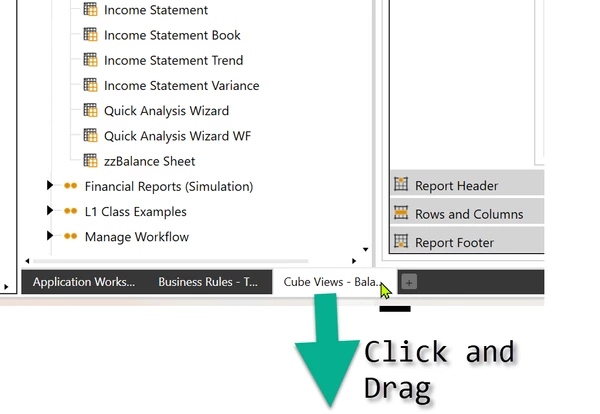
2. The Panes widget will appear.
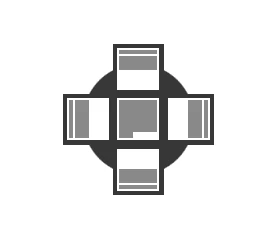
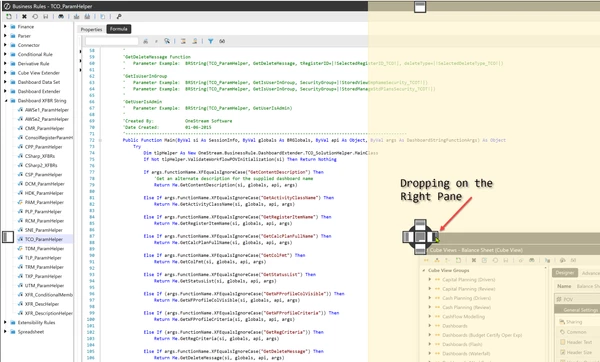
3. Bring your mouse so the cursor is over the part of the widget where you want the tab you're dragging to appear. If you drop it on the right, it will slide in on the right, next to the other open tab. Drop it on the bottom part and your tab will be a bottom pane under the other open tabs.
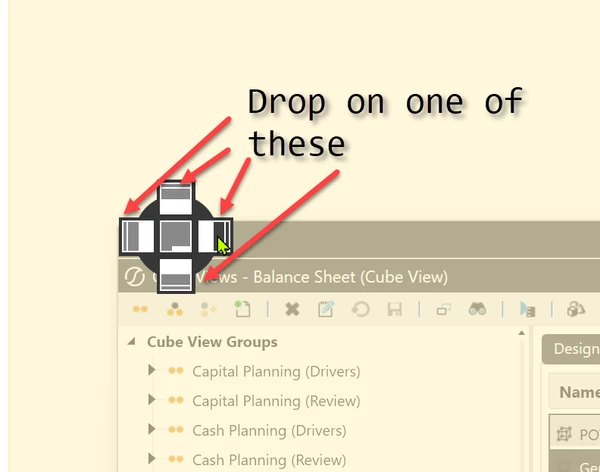
Here we're dropping on the right pane:
Viola! Side by Side:
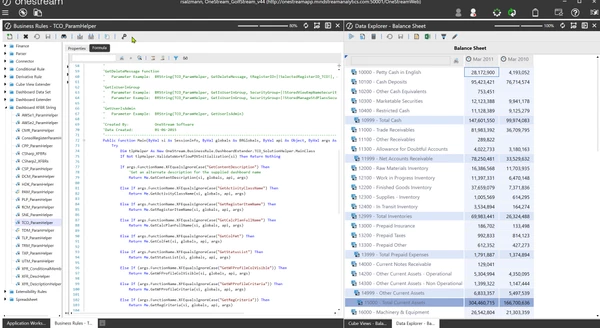
Here we are with the Error Log under our Business Rules: