November 18, 2024
Solved

Bi Designer

  • November 18, 2024
  • 1 reply
  • 1 view

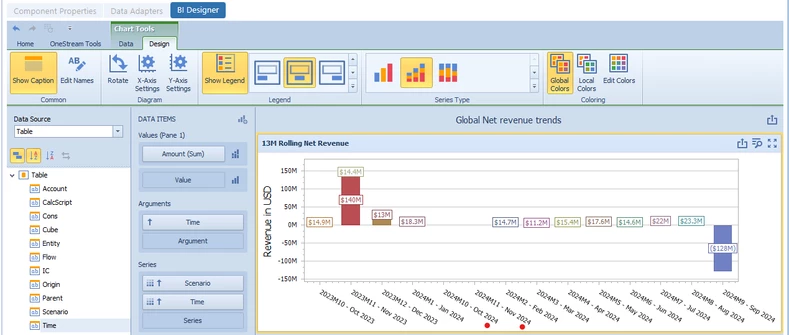
Working with BI Designer and cannot get the Time order in place sequentially. The Cube View data source is pulling the correct time, data, alongside the POV for workflow. The WF filter builder is in order. However, cannot get the two months (Oct and Nov) in the appropriate place. Tried to sort and use Start/End Dates too in settings for 

WF Time Filter: 

T#WF, T#WFPrior1, T#WFPrior2, T#WFPrior3, T#WFPrior4, T#WFPrior5, T#WFPrior6, T#WFPrior7, T#WFPrior8, T#WFPrior9, T#WFPrior10, T#WFPrior11, T#WFPrior12, T#WFPrior13

Has anyone experienced this before? 

CLU_0-1731966668239.png


CLU_1-1731966848953.png


Best answer by CLU

That did the trick... needed the Month-Year. Thank you!

1 reply

November 18, 2024

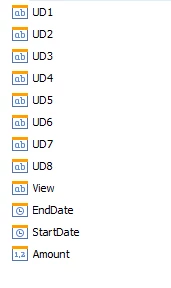
Set the data source to use a cube view MD. Set Add Start End Calendar Time to True which looks like you've done. I sometimes will just set the Time to use the Description instead of Name and Description. 

Then use these two new fields: EndDate/StartDate in the BI Viewer graph. Place either Start/End Dates in the Arguments and right click and change it to Month-Year.


OS BI Example Dates.png

CLUAuthorAnswer
November 18, 2024

That did the trick... needed the Month-Year. Thank you!