February 8, 2024

Changing the name on a cubeview row item

  • February 8, 2024
  • 2 replies
  • 0 views

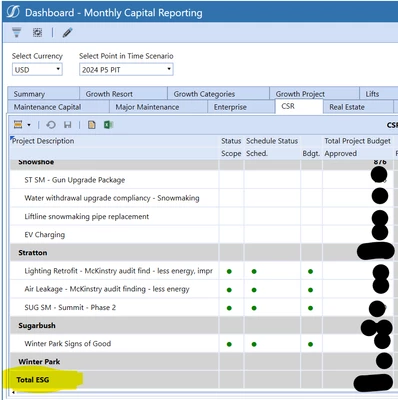
How can I change the Row name on a cube view so it populates differently in my dashboard?

Example in CV is "ESG Total", on the dashboard is "Total ESG"  but want the dashboard to say "Environmental Social and Governance Total"

cube view:
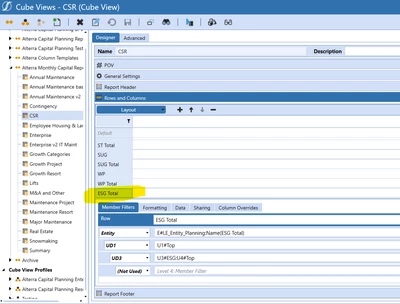
abolyard_0-1707430245165.png

dashboard

abolyard_2-1707430328832.png


2 replies

February 9, 2024

In theory you should be able to change
E#LE_Entity_Planning:Name(ESG Total)
to
E#LE_Entity_Planning:Name(Environmental Social and Governance Total)

What confuseses me is your memberscript has ESG Total and your CV has Total ESG.  I think your configuration screen might be for a different cubeview or the cubeview is using shared rows and you need to configure it there:

RobbSalzmann_0-1707437876915.png


February 9, 2024

Thank you, just changing the LE formula unfortunately doesn't change the row name. I'll do a little investigating.


abolyard_1-1707493497288.png


February 12, 2024

Thanks Mike! The Row default is what does the trick. Looks like when that is changed to "true" it changes the formatting of our dashboard.