
Excel add-in: Save offline version not working
I have a client who is trying to save an offline version of some of their excel reports in order to share them with their auditors.
First they open the spreadsheet, refresh the workbook, then select the "Save Offline Copy" feature from the OneStream ribbon bar.
Second, they close the original spreadsheet, then attempt to open the "offline" version. What appears is a series of #VALUE! where there should have been offline data.
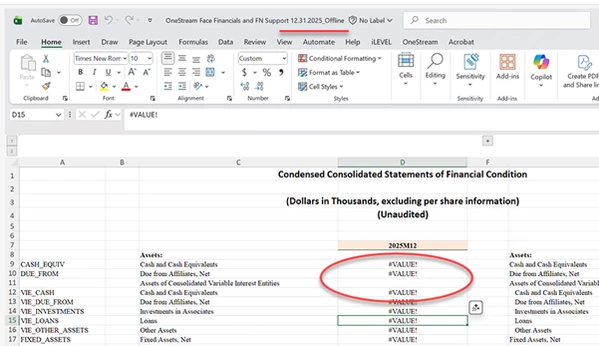
Has anyone else out there encountered this? Is it a known bug? Is there any type of work-around? The client does not want to use excel's copy-paste value feature because there are excel (non-OneStream) formulas such as "SUM" that they want to preserve.
Any ideas, suggestions, or information would be much appreciated.
Thank you,