October 9, 2024

Formating the header of a table

  • October 9, 2024
  • 2 replies
  • 0 views

Is it possible to change the color or format the header of a column of a SQL table editor component??
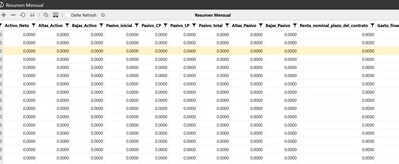

Nirod95_0-1728495542713.png


2 replies

October 10, 2024

If you click the button with 3 dots in the SQL Table Editor Column Format section there is a dialogue where some of the properties can be set:


MarcusH_0-1728548441947.png


October 11, 2024

The above shown settings only impact the specific column.  According to OneStream v8.4 Release notes:

"The title header now supports a light gray background with a transparent column header background. Text in the column header is bold and the filter funnel icon is replaced with a new funnel icon. (PF1-10015)"

Though it seems you might not be able to change column header colours, perhaps changing row background colours can help the header stand out more besides the bold?  Just a thought.


October 11, 2024

I haven't seen any configuration for column headers, but with Excel or spreadsheets you can preserve formatting for headers on your data tables.