November 21, 2023

If Statements in Books

  • November 21, 2023
  • 2 replies
  • 0 views

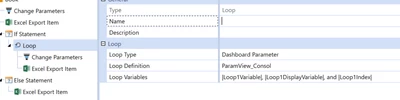
I have a requirement for a book to produce different views (i.e. Periodic, QTD, YTD) based on the WFTime. The periodic report should always appear no matter the WFTime, however the QTD Version will only appear in certain months. I cannot get the "if" statement shown below to trigger. 

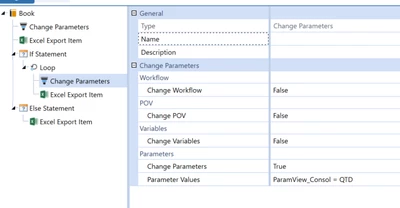
I have an item to change a dashboard parameter present in the CV as well. 

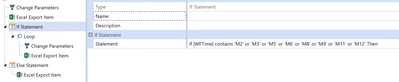
Is my syntax incorrec on the "If" statement? 

HHoensheid_0-1700597850691.png


HHoensheid_1-1700597952864.png

HHoensheid_2-1700597966055.png

Any help would be appreciated! 


2 replies

November 23, 2023

Hi, could you try to use this if statement (it worked for me)

(|WFTime| Contains M2) or (|WFTime| Contains M3) or (|WFTime| Contains M5) or (|WFTime| Contains M6) or (|WFTime| Contains M8) or (|WFTime| Contains M9) or (|WFTime| Contains M11) or (|WFTime| Contains M12)

I was also not using a loop definition for my dashboard parameter (as I could define it directly in the change parameter item, as you did).

Please let me know if that works for you.

November 27, 2023

Yes that worked! 

It seems that there is no need to include "If" in the syntax for the If statement. I did not know each argument for the If statement had to be in parantheses. I'll remember this moving forward. Thank you!