
April 13, 2026
Solved

Parameters not working in cube views

  • April 13, 2026
  • 3 replies
  • 2 views

Hi all,

I'm having a strange problem with cubeviews. 
I created some parameters to apply a standard formatting to my cube views:
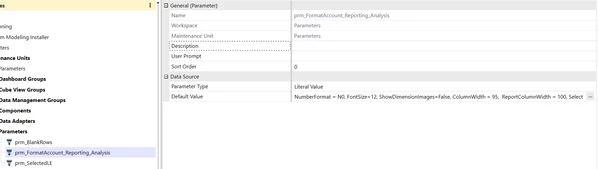


when I use them into the cubeview and I launch it, though, they appear in the initial popup without any value, as if they were user input params:
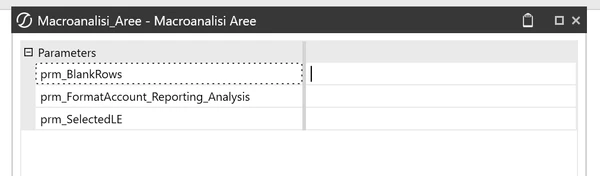


am I missing something? is there anything I need to configure to make them work automatically?

Any help is appreciated!

Best answer by fc5

Hi Aliabbas_H​,

I think the issue was this property in the workspace - Is Shareable Workspace
It has to be set to true to be able to use its parameters in other parts of the app.

I did it and now it works

3 replies

fc5Author
April 13, 2026

same issue with a member list param that I placed in the POV:


as you can see above it doesn't even show the user prompt when launching the cube view

April 13, 2026

fc​ I was facing the same issue and I have learnt that it either has to be in the same maintenance unit where you have created the dashboard component or in the default maintenance unit for it to work without any issues. 

fc5AuthorAnswer
April 14, 2026

Hi Aliabbas_H​,

I think the issue was this property in the workspace - Is Shareable Workspace
It has to be set to true to be able to use its parameters in other parts of the app.

I did it and now it works