November 24, 2023
Solved

Quick View - Annotations/Audit Comments/Variance Explanations

  • November 24, 2023
  • 2 replies
  • 0 views

Would like to check if Quick View in excel can extract/pull - Annotations/Audit Comments/Variance Explanations from "View" dimension.

Please assist. Thank you.

Best answer by MarkBird

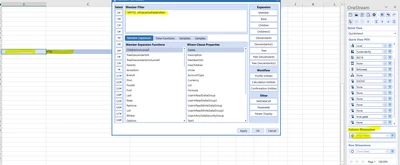
Thank you Mark.. we tried moving the View filter to the columns and added "YTD" & "VarianceExplanation", it did not work. Showing below result


Pradnya_1-1701341701352.png

Am i missing anything?


Pradnya,

A couple of questions:

 - Are you sure that you have data for the intersection that you are looking at?

 - Have you managed to view this data in a Cube View?

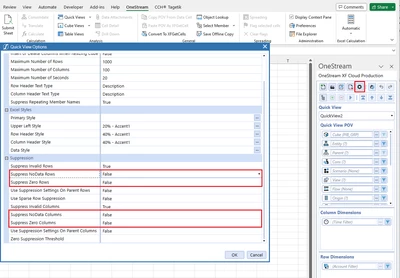
It might be helpful for you to change the row suppression settings on your cube view:

MarkBird_0-1701342227874.png


2 replies

November 24, 2023

Hi Pradnya

Just select the relevant view member:


MarkBird_0-1700825256397.png

Are you having any issues pulling this information into your Quick View? If so, send some screenshots.

Regards,

Mark


PradnyaAuthor
November 24, 2023

Yes, we did select the relevant view member "Variance Explanation"


Pradnya_0-1700826104006.png

We pull the numbers but not variance explanation.

November 27, 2023

Just switching to the right view should work; if it doesn't, there might be a regression and you might want to talk to Support about it.

PradnyaAuthor
November 29, 2023

Can you please elaborate when you say "Just switching to the right view should work"?
In View dimension we have "Variance Explanation", where user report/input variance explanation as text.

November 29, 2023

Hi Pradnya

Can you try moving the View filter to the columns then add both 'YTD' and 'VarianceExplanation'.

Send us a screenshot so that we can see the output.

Regards,

Mark