September 11, 2024
Solved

quickview keep only clearing causing all rows to disappear

  • September 11, 2024
  • 3 replies
  • 0 views


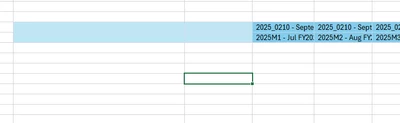
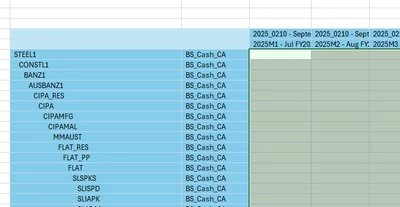
When I do a keep only on this quickview below, it causes all rows to disappear.  only way to get around it is to choose the entity I want in the parameter/member filter builder.   Why would keep only cause all rows to disappear?

halbrooks100_1-1726073287937.png


halbrooks100_0-1726073215720.png


Best answer by halbrooks100

Opened a ticket with OneStream, 

The issue is a bug with 7.4.4 excel

If you have comma [0] in the primary style it will cause this behavior.  Once this was moved to data style, the issue was resolved!!!!!!!!!!!


halbrooks100_0-1726753444143.png


3 replies

September 12, 2024

Frankly this type of issue are hard to resolve without seeing what exactly you are doing.

Anyway check your QuickView suppress row settings.

If you are adding a new dimension to existing QV then make sure select grid and rebuild QV.

September 12, 2024

thanks, all suppression is false, and only trying to click on keep only which makes all the rows disappear. 

September 17, 2024

You might have more than one QuickView which maybe overlap with retrievable one.   

halbrooks100AuthorAnswer
September 19, 2024

Opened a ticket with OneStream, 

The issue is a bug with 7.4.4 excel

If you have comma [0] in the primary style it will cause this behavior.  Once this was moved to data style, the issue was resolved!!!!!!!!!!!


halbrooks100_0-1726753444143.png