Solved
Reset parameter selections via business rule
Does anyone know if its possible to reset parameter selections, like the button does below, via a business rule?
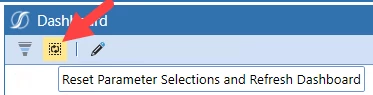

Does anyone know if its possible to reset parameter selections, like the button does below, via a business rule?
Hi - yes this is possible to do via a Dashboard Extender Rule that would be linked to a button or to execute on some other action. Below is some script that will reset a parameter to a blank value but you can substitute in any value you choose. Depending on where this runs from, you may need to change the DashboardExtenderFunctionType. For example, if wanting a parameter to reset after a button click then use args.LoadDashboardTaskInfo.Reason = LoadDashboardReasonType.ComponentSelectionChanged or if wanting parameter to reset whenever a dashboard is opened use DashboardExtenderFunctionType.LoadDashboard. Either way, the below script is what you need to reset or set a parameter value via a rule.
If args.FunctionName.XFEqualsIgnoreCase("ResetParams") Then

If args.LoadDashboardTaskInfo.Reason = LoadDashboardReasonType.ComponentSelectionChanged Then
Dim loadDashboardTaskResult As New XFLoadDashboardTaskResult()

								loadDashboardTaskResult.ChangeCustomSubstVarsInDashboard = True
								loadDashboardTaskResult.ModifiedCustomSubstVars.Add("ParameterName","")

	Return loadDashboardTaskResult
End If
End If
Enter your E-mail address. We'll send you an e-mail with instructions to reset your password.