
September 18, 2023
Solved

Top Margin on a PDF

  • September 18, 2023
  • 2 replies
  • 0 views

Hi,

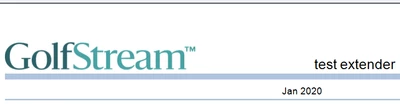
We have adjusted the top margin to all kinds of numbers, however it still doesnt seem to shrink. I have removed the log from the extender rule but it seems like there is a margin default. I have also tried to look at removing the blue line header to see if that helps but cant seem to find the proper rule for that. Any suggestions to get this top margin basically down to a very little space? The report needs to fit on one page so we took the font down and it works but would like to find a little more space if possible. Thanks!

Best answer by JackLacava

Works for me on 7.4.2. Default margin:


JackLacava_0-1695632562509.png

Setting top to zero:


JackLacava_1-1695632580094.png

JackLacava_2-1695632589603.png

You can force further shrinkage (at your peril) to effectively pull up the actual table:


JackLacava_3-1695632703853.png

JackLacava_4-1695632712670.png

As for blue bars: the thick one is PageHeaderLabelBar, the thin one is PageHeaderLine. We can suppress both like this:

Case Is = CVExtenderFunctionType.FormatReportUIItem
	Dim uiItem As CVExtenderReportUIItem = args.Report.CurrentUIItem
		If uiItem.UIItemType = XFReportUIItemType.PageHeaderLabelBar _
			Or uiItem.UIItemType = XFReportUIItemType.PageHeaderLine Then
		uiItem.Visible = False
		Return uiItem
	End If


JackLacava_6-1695633877974.png

Unfortunately it's a bit hard at the moment to find documentation for this stuff, because Intellisense doesn't pick up CVExtenderReportUIItem properly (don't know why). The best resource is the API Guide in Windows Help format, which is not available after v.7.0 (and really the last properly-produced one is in 6.5).


2 replies

September 21, 2023

Could you post the relevant bit of your CV Extender, so that we can look at what might be going wrong...?

September 21, 2023

Sure...

Case Is = CVExtenderFunctionType.FormatReportUIItem
	Dim uiItem As CVExtenderReportUIItem = args.Report.CurrentUIItem
	Dim reportOptions As New CVExtenderReportOptions
	If uiItem.UIItemType = XFReportUIItemType.PageHeaderPictureBoxLogo Then
		uiItem.Visible = False
	End If

Case Is = CVExtenderFunctionType.GetReportOptions
	Dim reportOptions As New CVExtenderReportOptions()
	reportOptions.ReportMarginTop = 0
	Return reportOptions


End Select
Return Nothing
September 25, 2023

Works for me on 7.4.2. Default margin:


JackLacava_0-1695632562509.png

Setting top to zero:


JackLacava_1-1695632580094.png

JackLacava_2-1695632589603.png

You can force further shrinkage (at your peril) to effectively pull up the actual table:


JackLacava_3-1695632703853.png

JackLacava_4-1695632712670.png

As for blue bars: the thick one is PageHeaderLabelBar, the thin one is PageHeaderLine. We can suppress both like this:

Case Is = CVExtenderFunctionType.FormatReportUIItem
	Dim uiItem As CVExtenderReportUIItem = args.Report.CurrentUIItem
		If uiItem.UIItemType = XFReportUIItemType.PageHeaderLabelBar _
			Or uiItem.UIItemType = XFReportUIItemType.PageHeaderLine Then
		uiItem.Visible = False
		Return uiItem
	End If


JackLacava_6-1695633877974.png

Unfortunately it's a bit hard at the moment to find documentation for this stuff, because Intellisense doesn't pick up CVExtenderReportUIItem properly (don't know why). The best resource is the API Guide in Windows Help format, which is not available after v.7.0 (and really the last properly-produced one is in 6.5).


September 25, 2023

Thanks Jack, that removed the line and gave us a little more wiggle room



