January 22, 2024

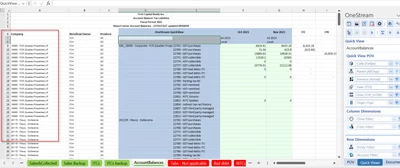
Unable to retain Excel data groupings upon QuickView refresh

  • January 22, 2024
  • 3 replies
  • 0 views

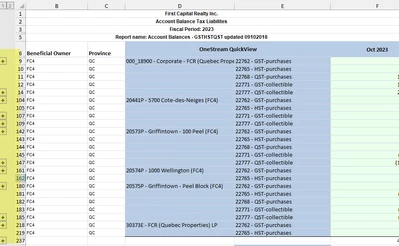
After migrating from OneStream version 6.8 to 7.4, it looks like the Excel data groupings disappear after refresh.

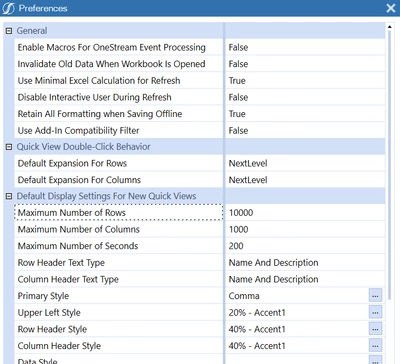
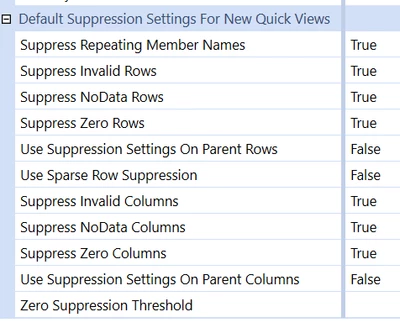
Does anyone know if this is an issue with the Add-in itself or do OneStream/Quick view settings need to be changed?  thank you
allanaklepko_6-1705958697985.png


allanaklepko_1-1705958407704.png

allanaklepko_2-1705958531295.pngallanaklepko_3-1705958553140.pngallanaklepko_4-1705958622137.png


allanaklepko_5-1705958655866.png


3 replies

January 23, 2024

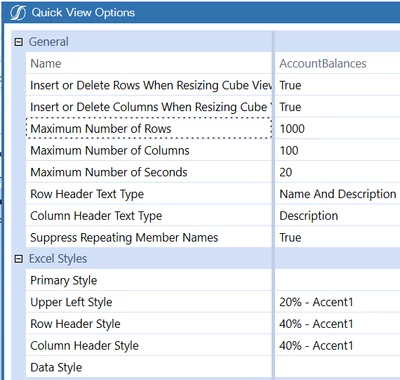
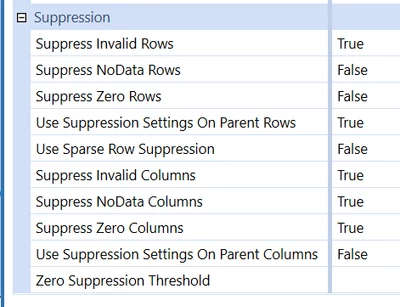
In the Quick View settings, at the top are two settings: "Insert or Delete Rows (Columns) When Resizing Cube View content".  Try turning both to False and see if that fixes your issue.

January 25, 2024

OSS confirmed there is bug open on this issue: PF-28727 - Refresh quick view shows losing the existing grouping for rows and column Here are some potential workarounds you can try meanwhile: 1) Highlight the data section of the quick view and "convert to XFGetCells" for the data section in the excel add in, then refresh the file, the row and column will keep group format. 2) After creating the quick view in excel add in, create a new sheet and link to original QA. Apply the necessary formatting and grouping the new sheet.

i will have the user try these options.  Your suggestion is good, but doesn't work - must be due to the bug.

Thank you

June 7, 2024

Has this issue been resolved with the 8.2 upgrade?  We just upgraded to 8.2 and it seems it is still an issue


June 10, 2024

Hi BrittaniaH,

I've done a quick test on my version 8.2.0 and the groupings still disappear on refresh.
I've also had a look to the release notes of the 8.2.2 (and lower) and I could not find any reference to bug PF-28727 so I'd say this is still to be addressed.