December 5, 2024

Using XFBR String Service in WS Assembly

  • December 5, 2024
  • 6 replies
  • 0 views

I'm new to WS assembly - trying to get a simple example of setting up an xfbr and use it in a cubeview but not successful. Here's what I did - what did I do wrong?

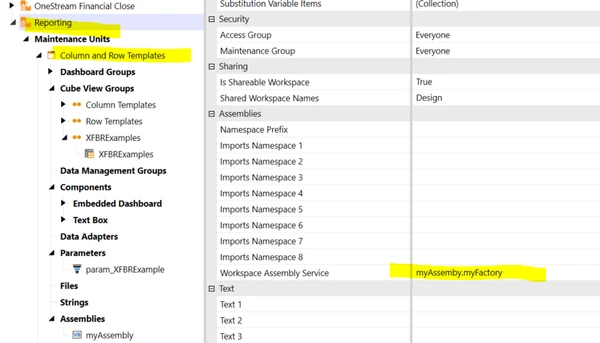
1. Set up XFBR String Service:
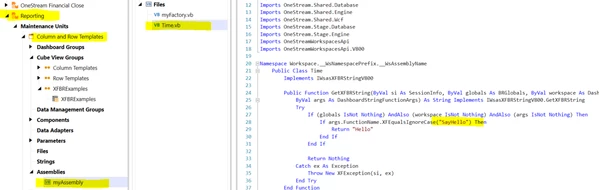


2. Then set up factory: 
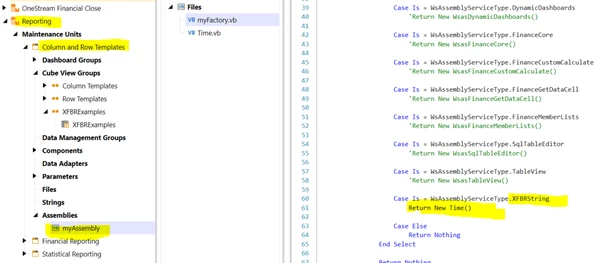


3. Then added to my maintenance units & workspace
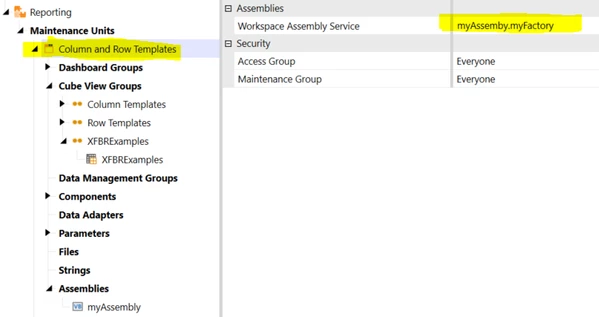


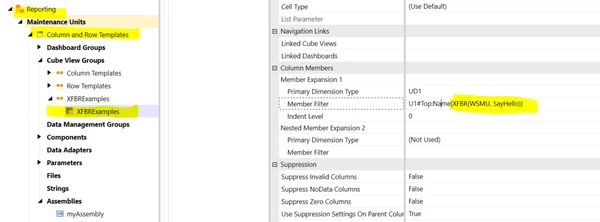
4. Added to cv:


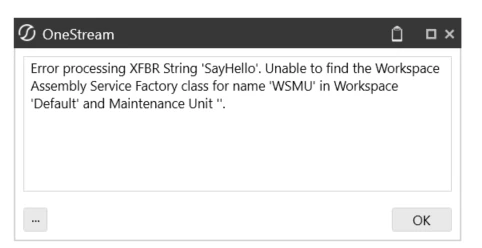
=> I get this error. Not sure why it is looking for the service factory in default. 


I followed the design guide, tried all the following syntax, none have worked:

XFBR(Workspace.Reporting.myAssembly.Time, SayHello)



XFBR(Workspace.Current.myAssembly.Time, SayHello)



Thank you. 

6 replies

December 6, 2024

Hi ghoang, 

I had an issue just yesterday, where an XFBR didn't work with Workspace.Current..... I instead used Workspace.MyWSName..... and it worked.

Hope that helps!

Best regards

Markus

ghoangAuthor
December 6, 2024

I just tried that... still not working. 

It does work when I call the assembly from a dashboard (e.g. use the xfbr return string as page caption, or use as a label), but it does not work when I call it from the cubeview. 

June 17, 2025

Hi ghoang

Did you manage to get this to work? I've also had the issue when running the xfbr through cubeviews. I found that the solution was 2 fold.

  • Refernce xfbr using full workspace = XFBR(Workspace.Reporting.WS, SayHello). You only need to route the xfbr to your service factory and there using .WS correctly routes you here.
  • Making the workspace shared.
June 18, 2025

You are using the syntax for traditional XFBR files inside an assembly, but what you want is the syntax to point to a Service Factory: Workspace.MyWorkspace.MyMaintUnit.WSMU or Workspace.MyWorkspace.WS. 

This will always be the case when you create a Service, regardless of type: you are targeting a factory, not the service itself.

August 8, 2025

Hello everyone, 

In my case, I was able to retrieve the expected value from my Assembly using parameters. I created a Literal value parameter that has the sintax: XFBR(WSMU, MyFunction, Filter=|!XXX!|) . Then in my Cube view, I call that parameter and it works! Hope this is useful, 

Cheers, 

August 9, 2025

In my experience, It's not necessary to create a "String service" XFBR then call a Service Factory to build and return it. 

A Simplified, Direct Approach:

  1. Right click the assembly directory where you want to create your XFBR. 


  2. Select Add File. 
  3. Select Dashboard String Function Business Rule


  4. The file name becomes the name of the assembly file and the rightmost element of the Assembly file's namespace.


  5. In your component or cube view, reference the assembly XFBR as follows:
    1. XFBR(Workspace.{WorkspaceName}.{AssemblyName}.{AssemblyFileName}, {FunctionName}, paramName=value)