
WfTime parameter not working in SQL table editor
Hi everyone,
I'm currently working on a dashboard that, through the use of a SQL table editor, will show data stored in a table. Below an example of one row from that table:

The interface of the SQL table editor allows me to filter the data to show only specific rows, and I added a filter for the columns T_ENTITY and PERIOD:
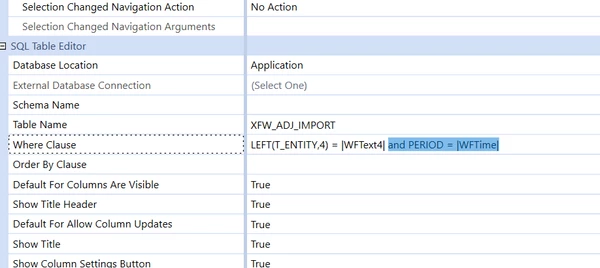
The first filter (T_ENTITY) works as expected. The second filter should filter out those rows in the table whose Period differs from the one selected by the user in the WF. Nevertheless, if I use |WFTime| as parameter, it doesn't show any row, even those that have the same Period as the WF. If I instead replace |WFTime| with the static period (es 'PERIOD = '2022M11'), it works fine.
The conclusion I take is that |WFTime| is not equal to the current WF period. To check that out, I added the following label to the dashboard header, setting its value equal to |WFTime|:
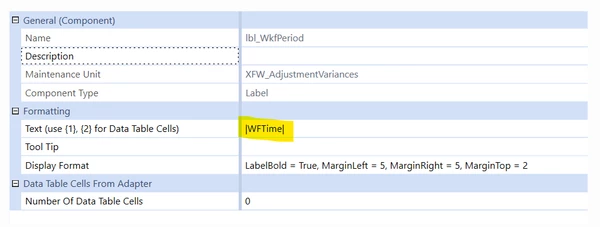
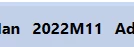
and it shows exactly the current WF period:
Is it possible that the parameter |WFTime| does not work as a filter for a SQL table editor? Or am I missing something?
Thanks in advance for the help!