Solved
XFGet formula to retrieve application name
Hi
Is there and XFGet type of formula that can be used to retrieve the name of the application that you are currently logged into?
Thanks,
Mark

Hi
Is there and XFGet type of formula that can be used to retrieve the name of the application that you are currently logged into?
Thanks,
Mark
I have just managed to resolve this by creating a technical account called ApplicationName. The account is set to DynamicCalc.
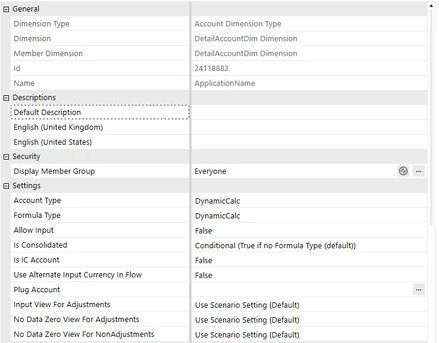
The formula is as follows:
'Returns the name of an application
Dim viewMember As ViewMember = ViewMember.GetItem(api.Pov.View.MemberPk.MemberId)

If viewMember.IsAnnotationType Then
	'Only return the app name if this is a text-based dataCell.
	Return api.SI.AppName
Else
	Return 0
End If
And then I used XFGetCell formula to retrieve the application.
=XFGetCellUsingScript(TRUE, "Reporting", "A#ApplicationName:V#Annotation", "", "")
A little bit long winded, but it does the trick. Not sure if anyone has a better idea.
Mark
Enter your E-mail address. We'll send you an e-mail with instructions to reset your password.