
Dynamically change the dashboard layout
Hello,
I have a weird behaviour when defining dynamically the dashboard layout.
If I define dynamically the dashboard layout to be either a vertical stack panel, horizontal stack panel, or uniform, then all of my components render as expected.
However, if I want to define them as grid (3 rows, 2 columns), then nothing is rendered.
I did use (in that order, if that has any consequences) :
- contant DashboardLayoutType.Grid
- property GridLayoutDefinition.RowDefinitions as a list of xfgridlayoutrowdefinition
- property GridLayoutDefinition.ColumnDefinitions as a list of xfgridlayoutcolumndefinition
The logs are telling me that the dashboard indeed is now a grid with 3 rows and 2 columns, however all of my components are not rendered in the dashboard.
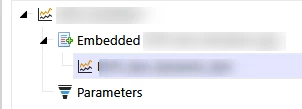
Being a grid :
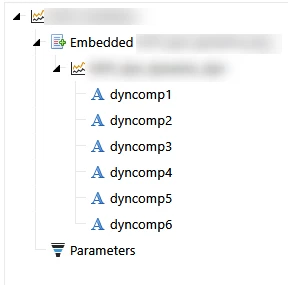
Being a vertical stack panel, horizontal stack panel, or uniform :
I do know that a grid is intepreted differently as a XAML grid class but I have no clue why it wouldn't be rendered with my components in it.
Any help or insight on this is greatly appreciated,
Regards,