December 9, 2021
Solved

Excel Load Data source (fixed files data source) does complex expressions works ?

  • December 9, 2021
  • 2 replies
  • 0 views

Hello
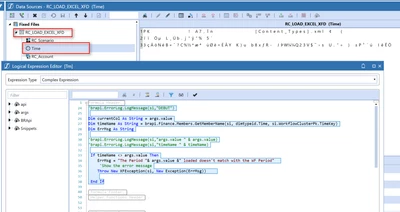
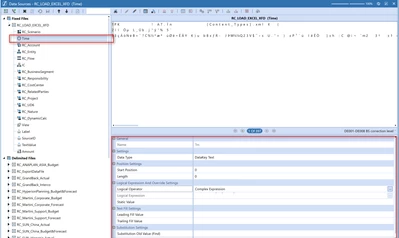
I've tried to load my excel file through the data source fixed files with a complex expression on the time dimension, and i think it doesn't go through the complex expression at all so i'm wondering if i can use a complex expression in fixed file data source ? 
hoaphan_1-1639068692485.png


hoaphan_0-1639068601955.png

The check i'm trying to do is to verify the workflow period and the time that's in my load file. if it's the same it can continue loading but if it's different i'm asking OS to pop up a error message.
If anyone has an idea please share it with me
Thanks 🙂

Best answer by ckattookaran

You can do the following, create a parser rule and then use it like the following.

SI#::[GetUserName]

2 replies

December 10, 2021

The file preview (the first screenshot) should look like legit data, it's pretty much what you see is what you get. And it looks like gibberish now, so I believe the system simply doesn't recognize the values. Please check your file and datasource setting first. You should eventually see a valid grid, with columns and readable datarows.

December 10, 2021

I don't think you can do an exception or show a pop-up message in transformation rules, you can write to the log, so maybe that is what you can do. I've used BRs in EXCEL load, never tried complex expressions.

hoaphanAuthor
December 14, 2021

Could you please let me know how can i use a business rule for an excel load, where do you put the BR, in the excel template? because in the data source it doesn"t work 😕 what's the syntax please ? 
Other question, what type of BR do you create ? a Parser one or an XFBR String ? 
Thanks a lot for your help 🙂

December 14, 2021

You reference a BR from any particular dimension, in Logical Operator functional area.