Extensibility Rules error
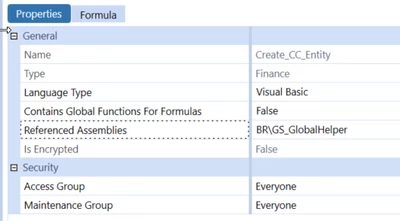
I have the existing BR rule to export the region hierarchy which is working for last one year without any issues and I am trying to reuse the BR rule for country hierarchy export purpose. I copied & pasted the BR rules, and I am getting the error below while compling. Can you suggest what are all the possibilities to check these issues?
1) Error at line 313: Type 'SessionOptions' is not defined.
2) Error at line 315: 'Protocol' is not declared. It may be inaccessible due to its protection level.
3) Error at line 324: Type 'Session' is not defined.
4) Error at line 329: Type 'PGPLib' is not defined.
5) Error at line 338: Type 'TransferOptions' is not defined.
6) Error at line 339: Type 'TransferOperationResult' is not defined.
7) Error at line 340: 'TransferMode' is not declared. It may be inaccessible due to its protection level.
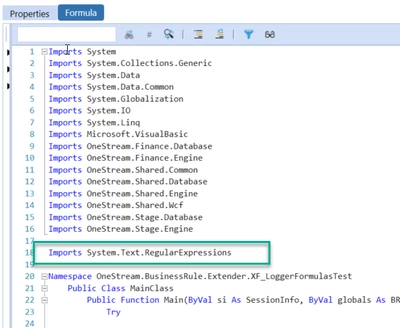
😎 Warning at line 18: Namespace or type specified in the Imports 'WinScp' doesn't contain any public member or cannot be found. Make sure the namespace or the type is defined and contains at least one public member. Make sure the imported element name doesn't use any aliases.
9) Warning at line 19: Namespace or type specified in the Imports 'DidiSoft.Pgp' doesn't contain any public member or cannot be found. Make sure the namespace or the type is defined and contains at least one public member. Make sure the imported element name doesn't use any aliases.
10) Warning at line 20: Namespace or type specified in the Imports 'DidiSoft.Pgp.Exceptions' doesn't contain any public member or cannot be found. Make sure the namespace or the type is defined and contains at least one public member. Make sure the imported element name doesn't use any aliases.