
June 23, 2025
Solved

Supplied parameter tied to Bound List not returning value

  • June 23, 2025
  • 1 reply
  • 1 view

Hi community,

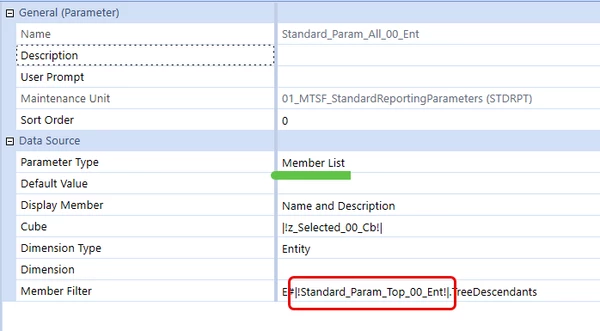
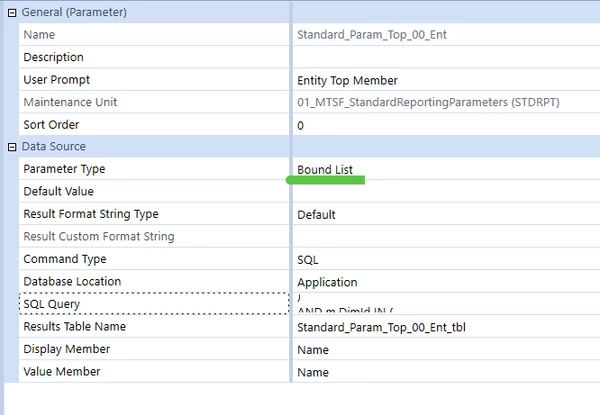
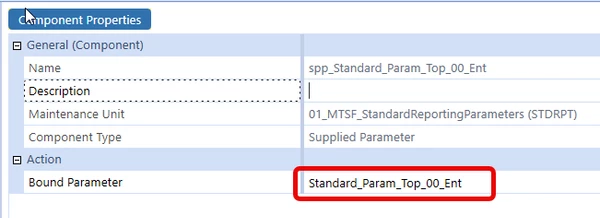
I have an issue where i have a member list tied to a bound list. The bound list uses a SQL query to get the top member of a given dimension. I have this bound list tied to a supplied parameter that I have attached to a dashboard. 

The issue is that when I run the dashboard, it is not triggering the bound list, even though i am using the supplied parameter. If I remove the supplied parameter and run the dashboard, it prompts me with the bound list parameter showing the value i want to return, and thereafter, when i put the supplied parameter back it works. It seems like the system needs to trigger the bound list first, but I haven't found a way to do so yet. Any thoughts?


Best answer by JackLacava

This is a long-standing issue with the order of evaluation of parameters. Bound lists cannot have a default value, because the system does not know which value could be valid until it runs the sql - which will happen later in the loading process. Once the bound list actually runs and the parameter is set, it is cached, so at the next load it will be there from the start.

What you can do is execute a dashboard extender during the dashboard load, which will set a value in the parameter (aka "custom substitution variable").

1 reply

June 24, 2025

This is a long-standing issue with the order of evaluation of parameters. Bound lists cannot have a default value, because the system does not know which value could be valid until it runs the sql - which will happen later in the loading process. Once the bound list actually runs and the parameter is set, it is cached, so at the next load it will be there from the start.

What you can do is execute a dashboard extender during the dashboard load, which will set a value in the parameter (aka "custom substitution variable").

June 24, 2025

That's what I ended up doing, by incorporating the SQL into the load function and supplying it to the parameters. Not as elegant as I wanted, but it works now. Thanks

June 24, 2025

You can make it slightly more elegant by turning the SQL bound list into a Method one of type Business Rule, which runs a Dashboard DataSet that can share logic with the onload extender.