LIM: Example of Month, Day, or Year Logic in the Register, Spreadsheet, File and Connector
DISCLAIMER: It should be noted that the focus of this technical guide is to provide general information, considerations, and guidelines for an identified topic. It is NOT to be interpreted as the ONLY approach nor a guarantee that there will not be any issues encountered by using this approach as a customer’s requirements or application configuration may render this guidance as not applicable.In addition, statements that “we believe” and similar statements reflect our beliefs and opinions on the relevant subject. These statements are based upon information available to us as of the date of this article, and while we believe such information forms a reasonable basis for such statements, such information may be limited or incomplete, and our statements should not be read to indicate that we have conducted an exhaustive inquiry into, or review of, all potentially available relevant information. OneStream does not warrant as to the accuracy of this guidance, which is provided on an as-is basis. |
VERSION: PV900 SV120
PLATFORM: 9.2.0
USE CASE: for whatever reason, you determine that the out-of-box formulas are not sufficient for your calculations and you need to split the date string into the month, day and year components. This assumes that you have created additional Register Fields to capture the relevant components.
PURPOSE: to provide you with an example that you can leverage as part of your build, whether you decide to incorporate this to all existing input options (Register, Spreadsheet, Import File, Connector) or some of them.
ASSUMPTIONS: the relevant Register Fields have already been created. In my example, I have HirePeriod, HireYear, TermPeriod and TermYear as separate Register Fields.
This section covers the following files/business rules with examples of the logic:
A) WsComponentService: ImportRegisterData
B) WorkforcePlanningImportRegisterConnector# dashboard extender business rule (to handle connector)
C) WsDynamicGridService
D) WsTableViewService
A) WsComponentService: ImportRegisterData (to handle importing files)
- TIP: the FunctionName will match with what is referenced in the component. To find the FunctionName, put your LIM-related workspace in the Design Mode (Set Selected Dashboard As Default).
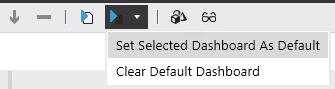
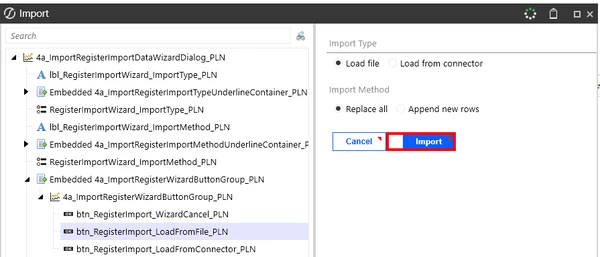
Then you can click through and find the relevant component. Below, I am looking for the button associated with the Import button (I clicked on Import & Modify > Add Data > Import to get here)
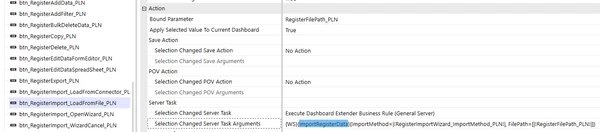
Then going to this specific component, the function name is the ImportRegisterData.
Example logic to handle populating the periods and years for WsComponentService:
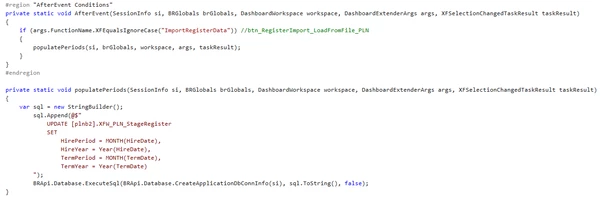
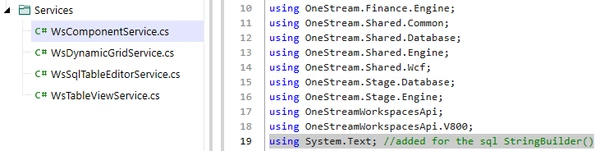
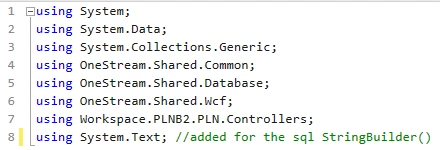
NOTE: if you plan to use StringBuilder() instead of declaring the variable as a string, you will need to import System.Text into the file. StringBuilder() is a method group so it will also have to be referenced as sql.ToString() as part of the BRApi.Database.ExecuteSql line. Example of what I mean by “import” below.
B) WorkforcePlanningImportRegisterConnector#*: ImportRegisterData (to handle connector)
*Business rule name may be different depending on the LIM selection and number of workspaces created.
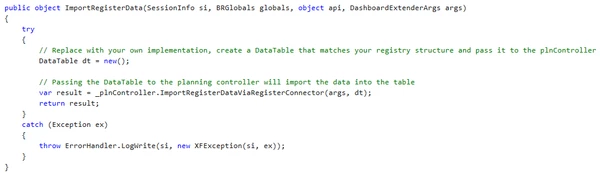
Before: this is before any customization. This is what your ImportRegisterData should start out as.
After: example of how it could be re-arranged to handle customization.
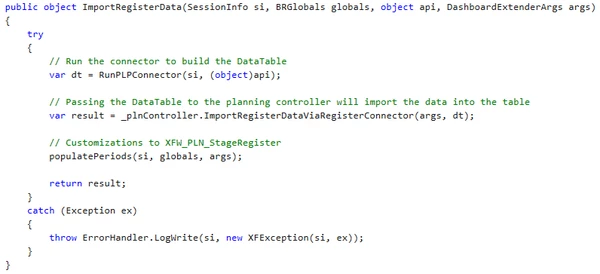
IMPORTANT NOTE: the above assumes this is the only customization needed to the Import Connector. If you have more customizations, then you will need to assess how many of these customizations rely on fetching the register rows. You want to consider fetching these register rows once and reuse it instead of having each method (which corresponds to a different customization) call it; this is to optimize performance and processing.
Example below of what this ImportRegisterData could look like if you have multiple customizations that rely on fetching register rows.
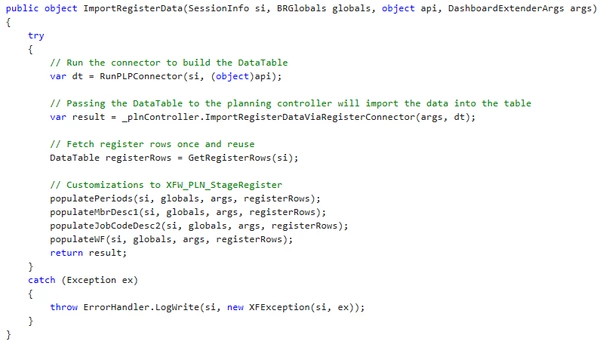
Anyways, back to assuming that populatePeriods is the ONLY customization needed for the connector…The below is an example to handle populating the periods and years for WorkforcePlanningImportRegisterConnector#*:
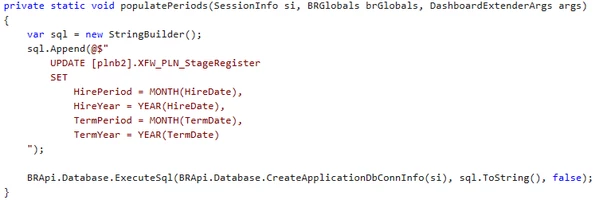
NOTE: similar to what I already mentioned above for WsComponentService, if you plan to use StringBuilder() instead of declaring the variable as a string in your WorkforcePlanningImportRegisterConnector#* rule, you will need to import System.Text into the business rule. StringBuilder() is a method group so it will also have to be referenced as sql.ToString() as part of the BRApi.Database.ExecuteSql line. Example of what I mean by “import” below.
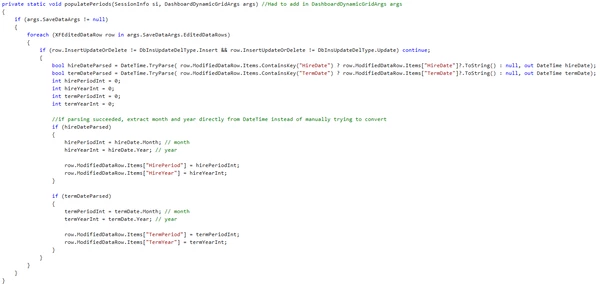
C) WsDynamicGridService: Register
Below is an example of how I arranged my logic within my BeforeEvent.

The below is an example of the logic associated with populatePeriods.
D) WsTableViewService: Spreadsheet
Below is an example of how I arranged my logic within my BeforeEvent.

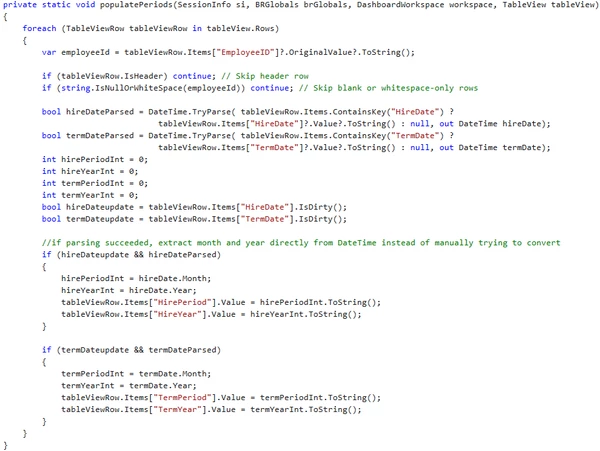
The below is an example of the logic associated with populatePeriods.