
April 15, 2024

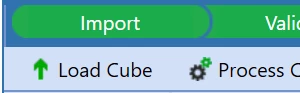
Disable Load Cube

  • April 15, 2024
  • 2 replies
  • 0 views


Nikpowar97_0-1713202901069.png

Is there any way we can disable load to cube.

Any EventHandler Operation type I can use? to throw and error. on a specific WF?

My Ultimate aim is just to see the Intercompany Matching Report on the profile which is visible only if Process step exist. 

2 replies

April 15, 2024

Nikpowar97  - You can set the IC Matching Report at the month level (ex - Jan, feb...) vs in import level. You can define process in the WF name and enable the IC matching Report.


Krishna_0-1713205500199.png


April 16, 2024

I'm also interested, as I want to calculate after the load and I don't want users to fire the "Load only" button skipping the calculations. Ok, somehow we can trigger the calculation from the simple load, but I like the idea of keeping the process clean. I've tried with event handler and I did not find a way / an operation name to tell "Load" from "Load and Process".

April 16, 2024

marcobobbiesi - 

1. In the Import - Set Import/validate/Load - This will load the Data to cube then in the Month (refer the prior screenshot) you can set process so it can run the calculation in the same WF you can also attach the IC Matching report.

Note: I will see if I can find any event handler but there is no option to disable load cube.